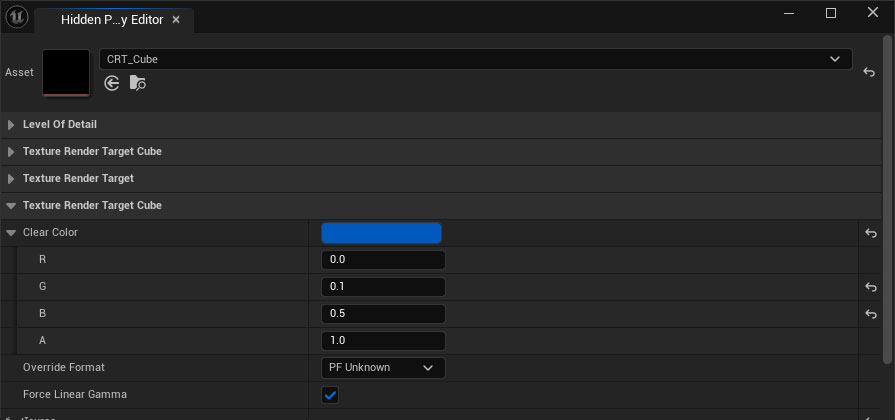
Hidden Property Editor
Sometimes when editing assets in UE5 some needed properties are not exposed. A glaring example is how the Clear Color property is exposed for RenderTarget2D but not for RenderTargetCube or RenderTargetVolume, defaulting to that very well known bright green that might show up when you least expect it.
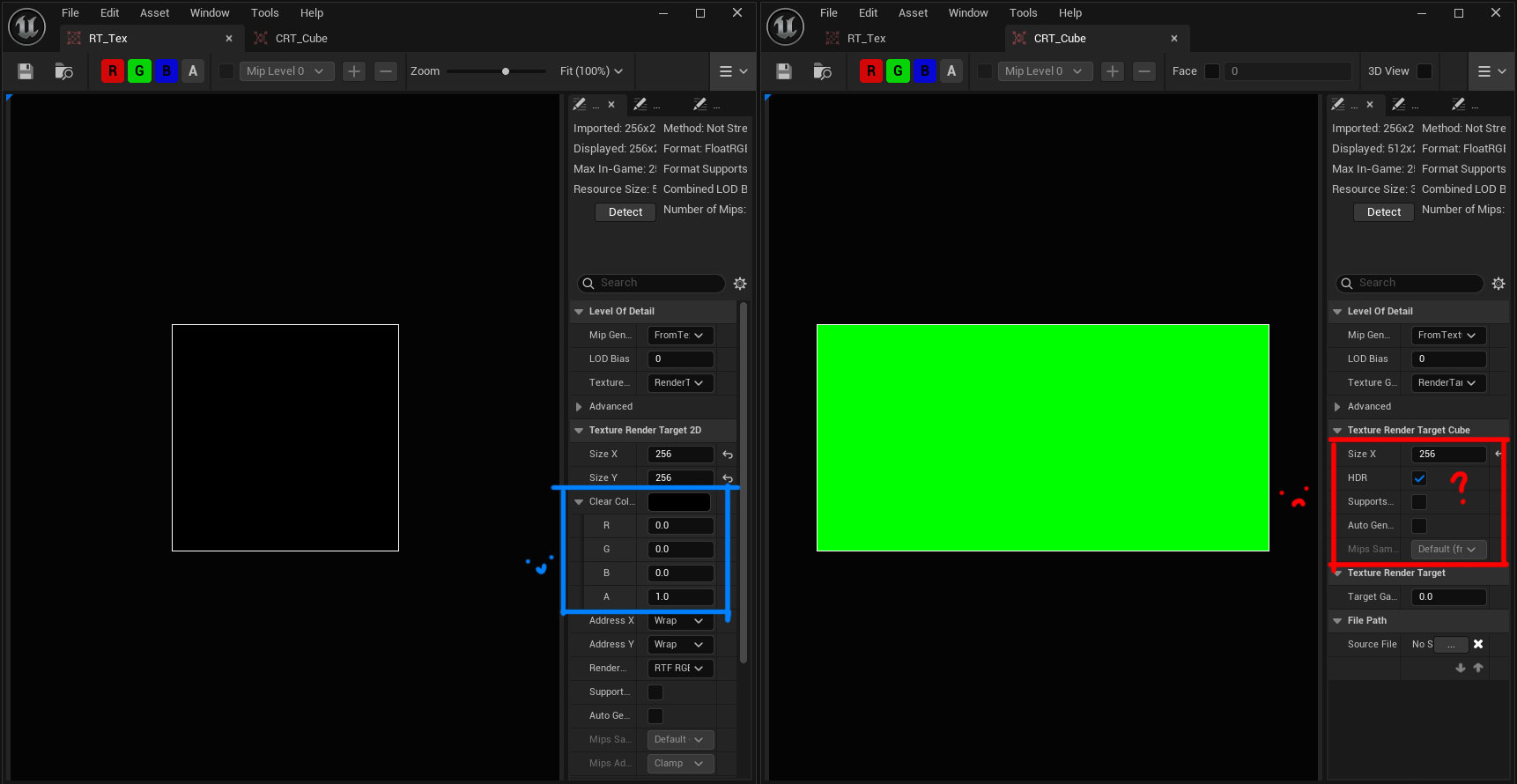
Some time ago I found an obscure option on the Details View Widget called ‘Force Hidden Property Visibility’ which as per its tooltip:
If true, all properties will be visible, not just those with CPF_Edit
So we’ll need to build a small tool around it.
How to build it
Here’s how I built a very simple Hidden Property Editor tool:
- Create an Editor Utility Widget
- In the Widget Blueprint’s Designer View add a Single Property View and a Details View and for both of them enable ‘Is Variable’
- For the Details View enable ‘Force Hidden Property Visibility’
- In the Widget Blueprint’s Graph View create a variable of type Object > Object Reference and name it “Asset”
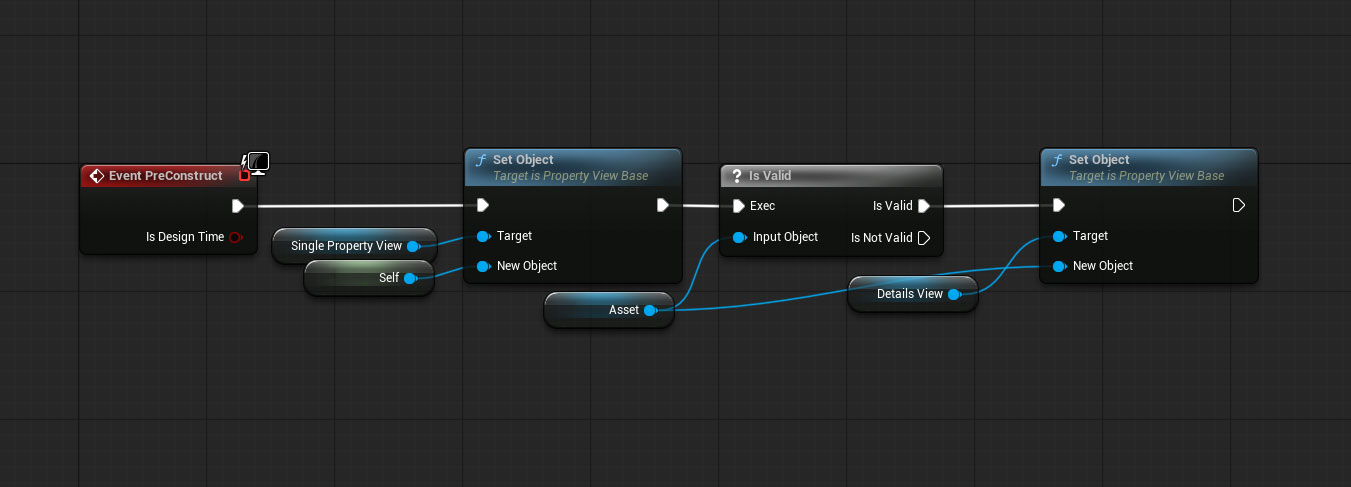
- In the graph’s PreConstruct Event add some more nodes as follows:
- Now run the Widget and select the asset
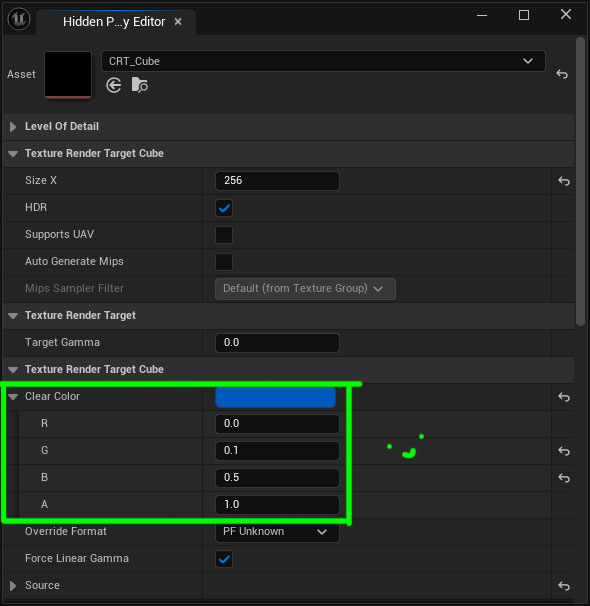
Now you can edit everything you ever need :)
Or if you’re not too inclined…
Building this Blueprint is dead simple but maybe you can’t be bothered. Sure, I get it.
Here’s the UAsset file for UE 5.8. It’s self-contained so just drop it anywhere and run it. That’s it.
Comments?
If you have any comments or questions feel free to reply to the relevant Twitter post, Bluesky post, ArtStation post or LinkedIn post.